Instagram’s Active Status feature shows your online activity to others, letting them know when you’re available for a chat. While this feature is convenient for real-time conversations, many users prefer more privacy. If you value your privacy and want to control when others see you online, turning off your Active Status on Instagram is an easy solution. In this article, we will guide you through the steps to disable this feature and ensure your online presence is kept discreet. Let’s dive into the steps you can take to turn off your active status on Instagram.
Why You Might Want to Turn Off Active Status
Many users opt to disable Active Status to maintain control over their online interactions. Instagram, by default, shows the green dot next to your profile picture, indicating when you’re active. However, some may find it uncomfortable to constantly appear online, especially if they are busy or don’t want to be disturbed. Turning off the active status provides a simple way to protect your privacy and manage your time on the platform without the pressure of being “on-call” all the time.
For example, if you’re catching up on messages but don’t want others to know that you’re actively available, turning off Active Status offers the perfect solution. The good news is, Instagram lets you hide your Active Status from others, giving you the freedom to enjoy the platform without feeling watched. Let’s take a look at how you can easily turn this feature off.
Step-by-Step Guide to Turn Off Active Status on Instagram
Turning off the Active Status on Instagram is a straightforward process. Follow these simple steps to ensure you’re no longer appearing online when you’re not actively using the app:
- Open the Instagram App
Launch Instagram on your smartphone and make sure you’re logged into your account. The Active Status feature is available only for Instagram mobile users, so you will need to use the app to disable it. - Go to Your Profile
Tap on your profile picture at the bottom right corner of the screen to navigate to your profile page. - Open Settings
Once on your profile, tap on the three horizontal lines (hamburger icon) at the top right corner. From the menu that appears, select Settings. - Access Privacy Settings
In the Settings menu, tap on Privacy to access the privacy options for your account. - Disable Active Status
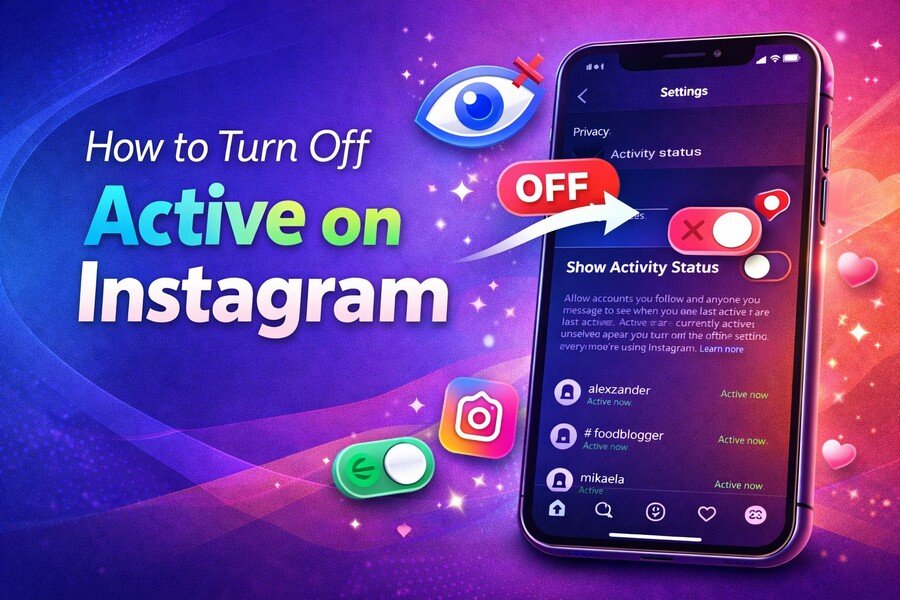
Under the Privacy settings, find the Activity Status option. Tap on it, and toggle the switch next to Show Activity Status to off. This will prevent others from seeing when you’re online or have been recently active.
With these simple steps, you can enjoy a more private Instagram experience. However, keep in mind that when you disable your activity status, you also won’t be able to see the Active Status of others. This is a reciprocal setting designed to ensure fairness.
What Happens When You Turn Off Active Status?
When you disable Active Status, Instagram won’t show the green dot next to your profile picture, and others won’t be able to see when you were last active. This gives you more control over your online presence, as you can enjoy using Instagram without being constantly available for messages. It’s a perfect setting for those who want to take a break from being “always on.”
However, you may still receive messages, notifications, and be able to interact with posts as usual. The main difference is that others won’t know exactly when you’re online. This creates a healthier and more balanced relationship with social media, especially for those who feel overwhelmed by the need to be always responsive.
Turning Off Active Status on Instagram for Specific People
Instagram allows you to further control your privacy by selectively turning off Active Status for certain people. If you don’t want everyone to know when you’re active, but still want some close friends or family to see you online, you can easily customize these settings.
- Go to Activity Status Settings
Follow the steps above to navigate to Settings > Privacy > Activity Status. - Choose Specific People
After turning off the feature, you can choose to allow specific people to see your activity status. You can select Off for Everyone, or simply toggle specific people to off so they no longer see your activity.
This gives you complete control over who can and cannot see when you’re active on Instagram. It’s a useful option for managing interactions without feeling completely disconnected from everyone.
What You Should Know About Active Status
It’s important to understand that when you turn off Active Status, it applies to Instagram Direct messages, Instagram stories, and other chat features. While it’s great for privacy, it also means you won’t be able to see when other users are online or when they were last active. If this doesn’t bother you, then turning off Active Status is a great option.
Additionally, if you’ve ever wondered about who can see your activity, Instagram provides clear transparency. Your activity is visible only to users who follow you or whom you’ve recently interacted with on the app.
Managing Your Privacy on Instagram: Other Settings to Consider
If you’re serious about maintaining privacy on Instagram, turning off Active Status is just one step. There are other settings you can adjust to ensure your account remains secure. For example, consider changing your account from public to private. With a private account, only those you approve can follow you and see your posts, stories, and activity.
Another useful setting is restricting or blocking users who may be bothering you. By restricting someone, their messages and comments won’t appear on your public posts, giving you the peace of mind to browse Instagram freely without any unwanted interactions.
Lastly, don’t forget to adjust your story settings. If you don’t want certain people to view your Instagram stories, you can restrict them from seeing your content. These privacy features combined with turning off Active Status create a more secure Instagram experience.
Conclusion
Turning off Active Status on Instagram is an effective way to protect your privacy and control your online presence. By following a few simple steps, you can ensure that your activity is kept private and that you’re not constantly “on the clock.” Whether you’re using Instagram for casual browsing, to share content with friends, or to unwind without interruptions, this feature gives you the control you need.
Remember, social media should be a fun and engaging experience, not one that leaves you feeling overwhelmed or constantly watched. Enjoy Instagram on your terms, with your privacy protected.

Brian Farrell
Brian Farrell is an experienced technical writer with a strong background in software development. His expertise in coding and software systems allows him to create clear, detailed documentation that bridges the gap between complex technical concepts and user-friendly guides. Brian's passion for technology and writing ensures that his content is both accurate and accessible, helping users and developers alike understand and navigate software with ease.