Instagram has evolved significantly over the years, and one of its most impactful features is the ability to add links directly to Instagram stories. Whether you’re a content creator, business owner, or influencer, adding links to your stories can significantly enhance your reach and engagement. This feature enables you to share external content, drive traffic to your website, or promote special offers—all with just a few taps.
In this article, we will walk you through adding a link to your Instagram story, along with key tips and insights for using this feature effectively. By the end of this guide, you’ll be able to boost your story engagement and drive more traffic to your site.
Introduction to Instagram’s Link Sticker Feature
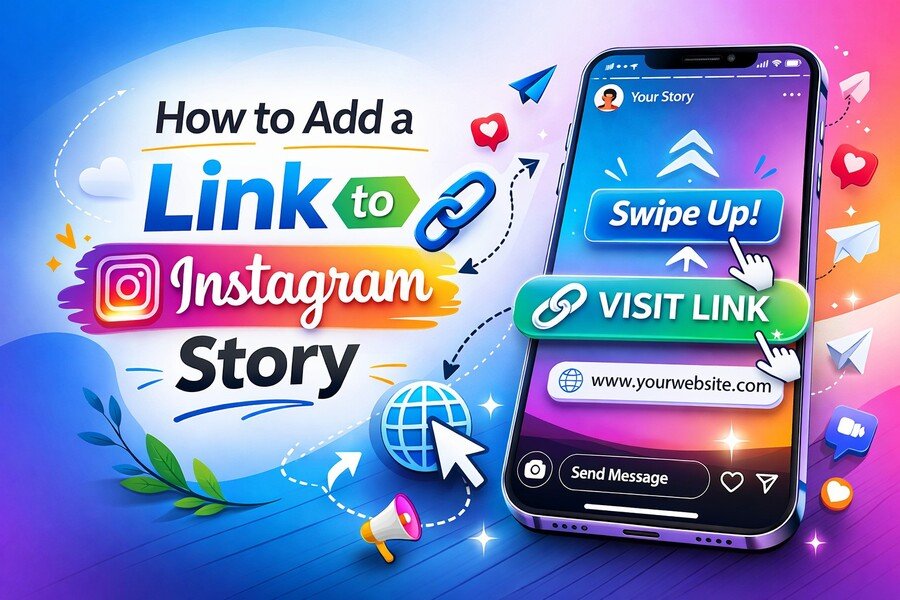
Adding a link to your Instagram story has become an essential tool for marketers and influencers. Instagram introduced the Link Sticker as a replacement for the previous “swipe-up” feature, allowing users to link directly from their stories without any restrictions. This update democratized link sharing, making it accessible to everyone, not just verified accounts or those with large followings.
Now, with just a few taps, anyone can drive traffic from their Instagram stories to external websites, product pages, or blog posts. This article outlines the steps to add a link and optimize its effectiveness for your brand or personal account.
You can also refine your writing with knowledge on how to test for AI writing to ensure authenticity in your posts. Write unique posts that captivate your audience.
Step 1: Create Your Instagram Story
To get started, create a compelling Instagram story. Whether you’re sharing a photo, video, or a carousel of images, ensure that your content is visually engaging and relevant to your audience. The goal is to ensure your story captures attention before prompting viewers to click the link you share.
Take high-quality photos or videos that align with your brand’s aesthetic or message. The visual aspect of your story must be compelling enough to encourage viewers to engage further, which in turn will boost the likelihood that they click the link.
Step 2: Tap on the Sticker Icon
Once you have created your story, tap on the Sticker icon located at the top of the screen. This icon opens up a menu of interactive features, including location tags, polls, questions, and most importantly, the Link Sticker.
If you don’t see the Link Sticker immediately, make sure your Instagram app is up to date. Instagram frequently updates its features, so ensure you’re using the latest version to access all available tools.
Step 3: Choose the Link Sticker
In the Sticker menu, select the Link Sticker. This feature lets you add any URL to your story, whether it’s a blog post, product page, YouTube video, or another external website. Simply tap on the “Link” option, and a text box will appear where you can paste the URL you want to share.
The Link Sticker offers a more personalized, clickable call-to-action than the old “swipe-up” feature. Additionally, it’s more noticeable because users can interact with the sticker as they would with any other element in the story.
Step 4: Customize the Link Sticker Text
One of the standout features of the Link Sticker is the ability to customize the text that appears on it. This allows you to add a brief, engaging call to action (CTA) that encourages users to click.
For example, you could use text such as “Shop Now,” “Learn More,” “Check Out This Offer,” or anything that fits your story’s purpose. Customizing the text provides context for the link and makes it clearer to your audience what they’ll be clicking.
Step 5: Place the Sticker on Your Story
After you’ve entered your link and customized the text, tap Done. Now, position the Link Sticker on your story wherever it fits best. You can move it around by dragging it and resizing it to your liking. It’s a good idea to place the sticker somewhere noticeable, but not so obtrusive that it takes away from the main content.
Keep in mind that the placement of your sticker is crucial. Make sure it doesn’t overlap with important parts of your story and that it’s positioned so viewers can tap it easily.
Step 6: Share Your Story
Once you’re happy with the placement and appearance of your Link Sticker, it’s time to share your story. Simply tap on the Send to button and choose Your Story. Your audience can now view your story via the clickable link.
It’s worth noting that Instagram stories are ephemeral—they disappear after 24 hours. If your link is time-sensitive, plan your story’s release accordingly.
How to Maximize the Effectiveness of Link Stickers
While adding a link to your story is straightforward, maximizing its effectiveness requires some strategy. Here are a few tips to help you make the most out of this feature:
- Use Clear CTAs: The Link Sticker is only as effective as the text you pair with it. Make sure your CTA is compelling enough to persuade users to click the link. Use actionable phrases like “Get Started” or “Exclusive Offer” to create urgency.
- Offer Value: Don’t just use the Link Sticker for promotion—ensure that the link provides real value to your audience. Whether it’s a special offer, a useful resource, or insightful content, ensure the link is relevant and worthwhile.
- Monitor Engagement: Instagram provides analytics for stories with links, so track how often people click them. By understanding what types of links and content drive the most engagement, you can refine your future stories.
- Promote Time-Sensitive Offers: Use the Link Sticker to drive attention to limited-time offers, special promotions, or important updates. Instagram’s storytelling format is well-suited to creating urgency, which can encourage users to click through immediately.
- Add Interactive Elements: Pair your link with other interactive story elements, such as polls, quizzes, or countdowns, to increase engagement and keep your audience interested.
By implementing these strategies, you can increase both your Instagram story click-through rate and its effectiveness, making your content more valuable and engaging for your audience. Tips on how to enhance your online engagement and how to make AI writing human provide essential insights into improving the authenticity of AI-generated content.
Benefits of Using Link Stickers for Business and Influencers
For businesses and influencers, the Link Sticker feature on Instagram offers a wealth of opportunities to drive traffic, increase conversions, and promote products or services in a way that feels natural and engaging.
- Increased Traffic: Link Stickers allow you to directly drive traffic from Instagram stories to your website, blog, or any other external destination. This helps increase visibility and reach for your content.
- Enhanced User Experience: The ability to add links without requiring a swipe-up feature makes the process more seamless and user-friendly. Viewers can tap the sticker to be taken directly to the destination.
- Boosted Engagement: Using the Link Sticker gives your audience a clear call to action within your story. This encourages more interaction and improves engagement with your content.
- Trackable Results: Instagram’s analytics let you track how many people click your link, providing valuable data on your audience’s behavior. This data is essential for refining your marketing strategies and understanding what works best.
Insights on how digital marketing works can help you navigate the digital landscape. You will be better prepared to compete in your niche with these strategies.
Conclusion
Adding a link to your Instagram story is a simple yet powerful way to drive traffic, promote products, and engage your audience. By following the steps outlined in this guide, you can easily start incorporating the Link Sticker into your Instagram strategy. Remember to make your link clear and compelling, with a strong call to action, and ensure your audience understands the value they’ll gain by clicking. With these strategies, you can fully leverage Instagram stories to boost engagement and grow your online presence.
The ability to add links to your stories is just one example of how Instagram continues to innovate and evolve. Whether you’re a business, influencer, or casual user, this feature offers endless possibilities to make your content more dynamic and interactive. So, start adding links to your stories today and watch your engagement soar!

Brian Farrell
Brian Farrell is an experienced technical writer with a strong background in software development. His expertise in coding and software systems allows him to create clear, detailed documentation that bridges the gap between complex technical concepts and user-friendly guides. Brian's passion for technology and writing ensures that his content is both accurate and accessible, helping users and developers alike understand and navigate software with ease.